> For the complete documentation index, see [llms.txt](https://docs.twtg.io/docs/llms.txt). Markdown versions of documentation pages are available by appending `.md` to page URLs; this page is available as [Markdown](https://docs.twtg.io/docs/solidred-documentation/3.1/data-analytics-features/alerts.md).
# Alerts
Alerts are indications from SolidRed based on the NEON devices' input to indicate situations where the end-user should check the device or the asset being monitored. The alerts in SolidRed are divided into 5 categories:
* **Vibration threshold alerts**: related to the overall value alerts defined in the machine class in the detail dashboard of a device.
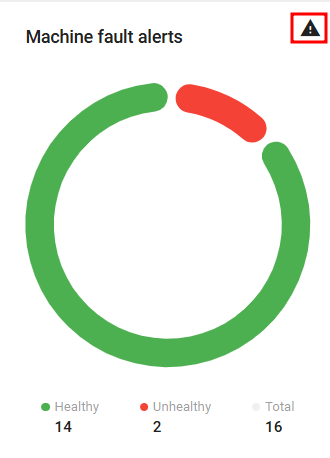
* **Machine fault alerts**: vibration-related common faults detected by the Machine Fault Indicator feature of the NEON Vibration Sensor using communication protocol v4.
* **Bearing fault alerts**: vibration-related bearing faults detected by the Machine Fault Indicator when configured to detect bearing faults in the NEON Vibration Sensor using communication protocol v4.
* **Conditional device alerts:** based on the thresholds set on the configuration of the device.
* **Device health alerts**: related to the health status of the device (e.g. device's health or signal strength).
To access the details overview of any of these alerts, on the overview home page, click on the alert icon in the top right corner of the specific alert category.
Alert details access example
On the alerts table, the user can interact with the alerts as follows:
* Clicking on the alert will take the user to the **Detail** dashboard of the relevant device.
* Clicking on the message icon allows the user to see, add, and edit comments to the alert.
* Clicking on the **X** will clear the alert. Alerts are automatically cleared if the sensor reports a healthy state on the following message related to the alert.
* Clicking on the magnifying glass opens the alert report, where further insight regarding the alert is provided.
Alerts table example
---
# Agent Instructions
This documentation is published with GitBook. GitBook is the documentation platform designed so that both humans and AI agents can read, navigate, and reason over technical content effectively. Learn more at gitbook.com.
## Querying This Documentation
If you need additional information that is not directly available in this page, you can query the documentation dynamically by asking a question.
Perform an HTTP GET request on the current page URL with the `ask` query parameter, and the optional `goal` query parameter:
```
GET https://docs.twtg.io/docs/solidred-documentation/3.1/data-analytics-features/alerts.md?ask=&goal=
```
`ask` is the immediate question: it should be specific, self-contained, and written in natural language.
`goal` is optional and describes the broader end goal you are ultimately trying to accomplish on behalf of the user. GitBook uses it to tailor the answer towards what is most useful for that goal.
The response will contain a direct answer to the question and relevant excerpts and sources from the documentation.
Use this mechanism when the answer is not explicitly present in the current page, you need clarification or additional context, or you want to retrieve related documentation sections.